The Portfolio Dashboard is the Growth Forge® Software command center for running an innovation portfolio. It rolls every project up into one real-time view: progress toward your goals, how resources and investment are allocated, and how projects compare on consistent criteria, so portfolio managers can steer the whole pipeline on evidence rather than anecdote.
Innovation and new-business portfolio managers and the executives they report to, whether running an enterprise new-business portfolio or an investment fund's portfolio of ventures.


What is the Portfolio Dashboard in Growth Forge?
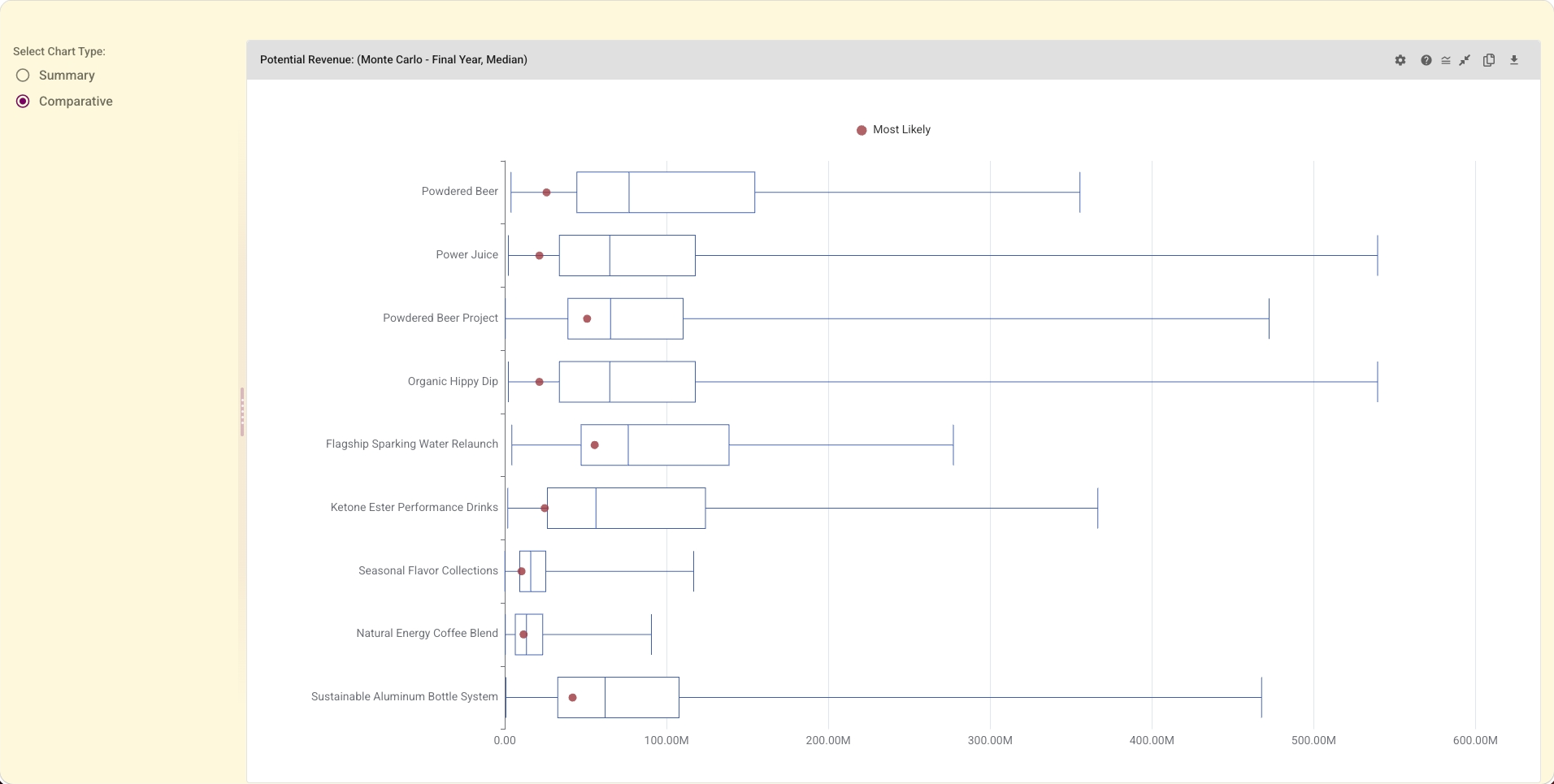
It's the real-time command center for an innovation portfolio. It rolls every project up into one view of progress toward your goals, resource and investment allocation, and consistent project comparison, so portfolio managers can steer the pipeline and defend investment decisions with evidence.
How do I manage and compare projects across an innovation portfolio?
The dashboard puts every project on a common basis, scored against DFV, the BRI Strategy Framework, and your own criteria, so you can compare dissimilar projects fairly, see cumulative progress toward portfolio goals, and spot where resources and investment should shift.
How does it support investment decisions?
It shows where the evidence supports more or less investment and measures projects against stage- and class-specific investment guidelines. It informs the stage-gate calls recorded in Decision Making rather than replacing them.
Does it handle sub-portfolios and projects tracked outside Growth Forge?
Yes. It supports sub-portfolios, flexible configurations, aggregated analysis for complex organizations, and tracking of projects developed outside Growth Forge alongside those built in it.
What does it connect to?
It aggregates each project's Strategy Evaluation into portfolio and sub-portfolio views, complements Portfolio Modeling (which forecasts the portfolio) and Decision Making, and pairs with the Growth Forge Portfolio Management overview.